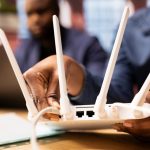
Apartments often face unique internet challenges due to shared walls, dense living spaces, and building infrastructure. Slow or unreliable WiFi can impact work, streaming, and online gaming. Here’s how to improve internet in apartment settings.
1. Understand Apartment WiFi Challenges
- Interference from neighbors: Multiple networks on similar channels
- Thick walls or floors: Block WiFi signals
- Older building wiring: May limit wired connection quality
- Shared internet infrastructure: Congestion during peak times
Identifying the specific problem is the first step to improving speed.
2. Optimize Router Placement
- Place your router centrally in your apartment
- Keep it elevated on a shelf or desk
- Avoid placing near metal appliances, microwaves, or thick walls
- Ensure a clear line-of-sight to frequently used devices
3. Use the Right WiFi Band
- Modern routers offer 2.4 GHz and 5 GHz bands
- 2.4 GHz: Longer range, slower speed, better for penetrating walls
- 5 GHz: Faster speed, shorter range, ideal for line-of-sight connections
- Switch bands depending on device location
4. Change WiFi Channels
- Neighboring apartments can cause channel interference
- Use tools like WiFi Analyzer or NetSpot to find the least crowded channels
- Changing channels can significantly improve performance
5. Upgrade Your Router
- Older routers may struggle in apartment environments
- Upgrade to:
- WiFi 6 or 7 routers for faster speeds and better handling of multiple devices
- Mesh WiFi systems for full coverage in multi-room apartments
6. Limit Bandwidth Hogs
- Multiple devices streaming, gaming, or uploading simultaneously can slow speeds
- Pause cloud backups, downloads, and updates during peak use
- Use your router’s QoS settings to prioritize devices
7. Use Wired Connections Where Possible
- Ethernet connections provide stable speeds unaffected by interference
- Ideal for work-from-home setups or gaming stations
8. Consider a WiFi Extender or Mesh Network
- For large or obstructed apartments, a WiFi extender or mesh system improves coverage
- Mesh systems offer seamless roaming, ensuring devices stay connected throughout the apartment
9. Optimize Device Settings
- Update devices to the latest software
- Limit background apps using bandwidth
- Adjust streaming quality for less critical devices
10. Check Your ISP Plan
- Some apartment residents experience slow speeds due to shared infrastructure or limited bandwidth plans
- Upgrade to a plan that meets the number of devices and users in your apartment
- Consider fiber internet if available for faster, more reliable connections
Conclusion
Improving internet in apartments requires a combination of router optimization, device management, and ISP planning:
- Place the router optimally and switch WiFi bands/channels
- Upgrade to modern routers or mesh systems
- Use wired connections and manage bandwidth usage
- Upgrade your plan if current speeds aren’t sufficient
By implementing these strategies, apartment dwellers can enjoy fast, reliable internet despite dense living conditions.
Visited 23 times, 1 visit(s) today