Fiber internet offers ultra-fast speeds, low latency, and reliable connections, making it an ideal choice for homes and businesses. However, getting fiber internet requires proper installation to ensure maximum performance. This guide will walk you through everything you need to know about fiber internet installation, including preparation, the installation process, and tips for optimizing your connection.
Understanding Fiber Internet Installation
Unlike cable or DSL, fiber internet uses fiber-optic cables that transmit data as light. Installing fiber involves connecting these cables from your internet service provider (ISP) to your property, either through:
- FTTH (Fiber to the Home) – Fiber runs directly to your home.
- FTTP (Fiber to the Premises) – Fiber goes to your building or office.
- FTTC/FTTN (Fiber to the Curb/Node) – Fiber reaches a nearby distribution point, then switches to copper for the final connection.
FTTH and FTTP offer the best speeds and reliability, while FTTC/FTTN may have slightly slower performance.
Step 1: Check Availability
Not all areas have fiber infrastructure yet. Before planning installation:
- Visit your ISP’s website to check coverage.
- Contact customer service to confirm fiber availability.
- Compare providers if multiple fiber options exist in your area.
Availability often depends on urban vs. rural location, with urban areas being more likely to have fiber access.
Step 2: Choose the Right Plan
Fiber ISPs offer different speed tiers and pricing plans. Consider:
- Speed Requirements: Choose speeds that match your internet usage (e.g., streaming, gaming, remote work).
- Data Limits: Most fiber plans are unlimited, but confirm to avoid overage charges.
- Contract Terms: Some ISPs require long-term contracts, while others offer month-to-month options.
Choosing the right plan ensures you maximize fiber internet benefits.
Step 3: Schedule Installation
Fiber installation is typically done by professional technicians. Steps include:
- Appointment Booking: Schedule a convenient date for installation.
- Site Assessment: Technicians may check your property for the best cable entry point.
- Cable Routing: Fiber cables are run from the street or local network to your property.
- Equipment Setup: Technicians install an Optical Network Terminal (ONT) and connect it to your router.
Some providers offer self-install kits, but professional installation is recommended for first-time fiber users.
Step 4: Prepare Your Home or Office
Before installation, make sure:
- There’s a clear path for cables from the curb or network point to the inside of your property.
- Your chosen equipment location is near a power outlet and central for WiFi coverage.
- Obstacles like walls, furniture, or decorations don’t block the cable path.
Proper preparation reduces installation time and ensures a cleaner setup.
Step 5: Equipment Installation
Fiber installation requires specific equipment:
- Optical Network Terminal (ONT): Converts fiber-optic signals into data your devices can use.
- Router: Distributes internet throughout your home via WiFi or Ethernet.
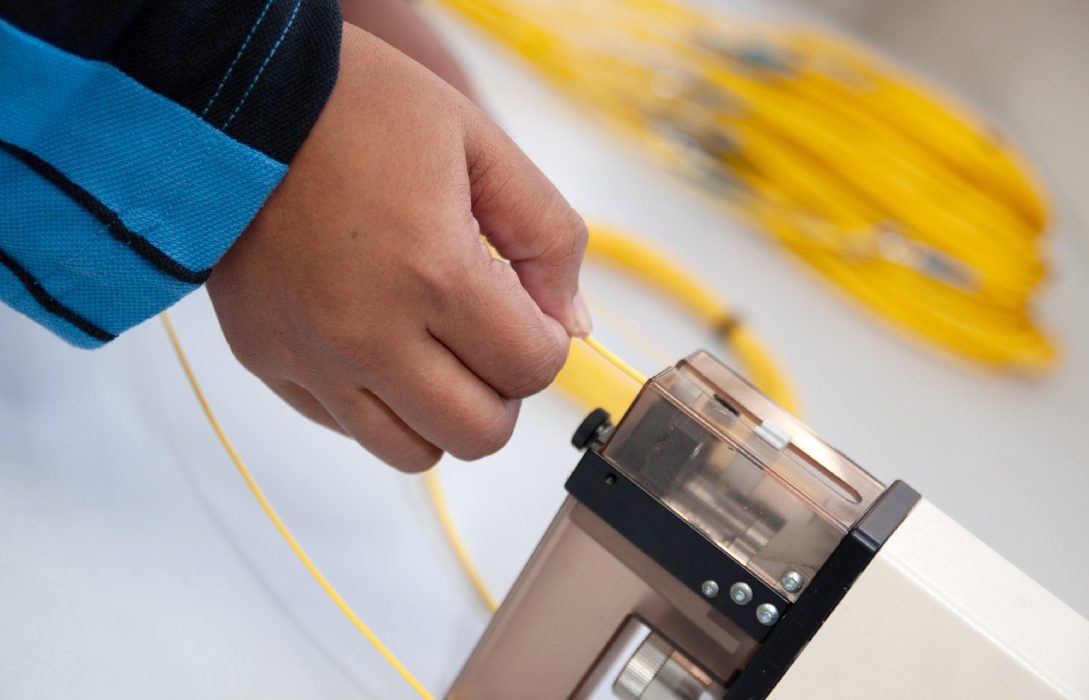
- Cables: Fiber cables are thin and durable, designed for minimal signal loss.
Technicians typically test the connection after setup to ensure maximum speed and reliability.
Step 6: Testing Your Connection
Once installed:
- Use speed tests to verify you’re receiving the promised download and upload speeds.
- Check WiFi coverage and adjust the router location if needed.
- Ensure all devices are connected and working properly.
Testing immediately ensures that any issues are addressed by the ISP before leaving your property.
Step 7: Tips for Optimal Performance
To make the most of fiber internet speeds:
- Place the router centrally in your home for even coverage.
- Use Ethernet cables for devices requiring maximum speed.
- Limit interference from walls, microwaves, and cordless phones.
- Secure your network with strong passwords and encryption.
- Update router firmware regularly to maintain performance.
Common Installation Challenges
While fiber installation is usually straightforward, some common challenges include:
- Distance from the network: Long cable runs may require additional work.
- Building structure: Older homes or offices may need drilling or conduit installation.
- Permits: Some areas may require permits for fiber installation.
Working with experienced technicians can help navigate these challenges smoothly.
Conclusion
Installing fiber internet may require some planning and professional assistance, but the benefits of high-speed, low-latency connectivity make it well worth the effort. By checking availability, selecting the right plan, preparing your property, and following best practices, you can ensure a seamless fiber installation experience.
Once installed, fiber internet provides reliable speeds, multiple device support, and future-proof connectivity for homes and businesses alike. With the right installation, you can enjoy streaming, gaming, remote work, and smart home integration without interruptions.