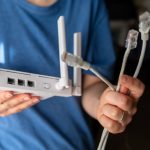
WiFi encryption is the foundation of a secure wireless network. It ensures that data transmitted between your router and devices is protected from hackers and eavesdroppers. Choosing the right encryption method is critical for maintaining both security and performance.
1. What Is WiFi Encryption?
WiFi encryption scrambles the data sent over your wireless network. Even if someone intercepts the data, they cannot read it without the proper key. Encryption protects:
- Personal information
- Login credentials
- Banking or payment details
- Private communications
Without encryption, your network is vulnerable to unauthorized access and cyberattacks.
2. Types of WiFi Encryption
a. WEP (Wired Equivalent Privacy)
- One of the oldest encryption standards
- Weak and easily cracked using modern tools
- Not recommended for any network today
b. WPA (WiFi Protected Access)
- Introduced as an upgrade to WEP
- Offers better security, but still vulnerable to attacks
- Better than WEP, but not ideal for modern devices
c. WPA2
- Currently the most widely used standard
- Uses AES encryption, which is strong and reliable
- Supported by nearly all modern routers and devices
- Recommended minimum for home networks
d. WPA3
- Latest WiFi encryption standard
- Provides stronger protection against brute-force attacks
- Enhances security on public networks
- Includes forward secrecy, preventing data interception
- Recommended for new routers and devices
3. Choosing the Right Encryption for Your Home
- Use WPA3 if your router and devices support it
- If WPA3 is not available, use WPA2 with AES encryption
- Avoid using WEP or WPA with TKIP, as they are vulnerable
- Modern routers often support mixed mode to accommodate older devices while maintaining strong security
4. How Encryption Affects Performance
- WPA3 and WPA2 may slightly reduce speed on older devices
- The security benefit outweighs the minor performance impact
- For best performance, ensure your devices and router firmware are up to date
5. Additional Security Measures Alongside Encryption
- Use strong, unique WiFi passwords
- Disable WPS (WiFi Protected Setup) as it can be exploited
- Regularly monitor connected devices
- Enable firewalls on the router and devices
6. Encrypting Guest Networks
- Create a separate guest network for visitors
- Use WPA2 or WPA3 encryption even for guests
- Prevents unauthorized access to your main network and sensitive devices
7. Updating Your Network for Future Security
- Older routers may not support WPA3
- Upgrade to a modern router to future-proof your network
- Regular firmware updates ensure encryption standards remain current
Conclusion
The right WiFi encryption protects your network from hackers and secures your personal data. Key recommendations:
- Use WPA3 if available, otherwise WPA2 with AES
- Avoid outdated methods like WEP or TKIP
- Combine encryption with strong passwords, firewalls, and device monitoring
- Keep firmware and devices updated to maintain security
With these measures, your WiFi network will be secure, reliable, and ready for modern internet usage.
Visited 4 times, 1 visit(s) today