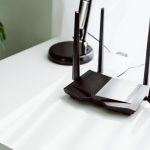
Even the fastest router can underperform if it’s not placed correctly. WiFi placement affects signal strength, coverage, speed, and reliability. Poor placement can create dead zones, weak signals in key areas, and inconsistent connectivity.
This guide explores strategies for optimal WiFi placement in homes of all sizes, helping you maximize speed and coverage for streaming, gaming, remote work, and smart devices.
Step 1: Choose a Central Location
- Central placement ensures the signal reaches all areas of your home
- Avoid placing the router at the far end of the house or in a corner
- Ideal placement: Living room or hallway near the center of the home
Tip: If you have a multi-story home, place the router on the middle floor for even coverage across levels.
Step 2: Elevate Your Router
- Place the router on a shelf or elevated surface
- Avoid floors, behind furniture, or inside cabinets
- Elevation improves line-of-sight signal transmission and reduces interference
Tip: Higher placement also reduces interference from appliances and electronic devices.
Step 3: Avoid Obstacles and Interference
Common Obstacles:
- Thick walls (especially concrete or brick)
- Metal doors, filing cabinets, and large appliances
- Mirrors or glass partitions
Sources of Interference:
- Microwave ovens
- Cordless phones
- Baby monitors
- Bluetooth devices
Tip: Keep the router 2–3 feet away from electronics and large metal objects to minimize interference.
Step 4: Optimize Router Orientation
- Adjust antennas (if external) for maximum coverage
- Vertical antennas: Best for horizontal coverage
- Horizontal antennas: Improve coverage between floors
- If using a mesh system, position nodes to extend signal into dead zones
- Some routers allow beamforming to direct signals toward connected devices
Step 5: Consider Frequency Bands
- 2.4 GHz band: Longer range, better for walls and distant devices
- 5 GHz band: Higher speed, shorter range, better for line-of-sight devices
- Place the router so both bands can reach areas where devices will connect
- For homes with many devices, a tri-band router helps prevent congestion
Step 6: Use Mesh WiFi Systems for Large Homes
- Multiple nodes provide seamless coverage across large areas
- Place nodes in open areas with minimal obstruction
- Avoid placing nodes too close (reduces efficiency) or too far (signal weakens)
- Common placement: hallways, staircases, or near living rooms
Tip: For multi-story homes, place one node per floor for balanced coverage.
Step 7: Outdoor WiFi Considerations
- Outdoor coverage requires routers or access points rated for outdoor use
- Avoid placing indoor routers near windows for outdoor coverage
- Install access points in sheltered, elevated locations to reduce interference from weather
Step 8: Test and Adjust Placement
- Use speed tests in different areas of your home
- Check for dead zones, slow speeds, and interference
- Adjust router or mesh nodes accordingly for optimal coverage
Tip: Apps and tools can map WiFi coverage throughout the home to help fine-tune placement.
Step 9: Security Considerations in Placement
- Avoid placing routers in areas accessible to visitors or intruders
- Ensure network password is strong, and guest networks are enabled for visitors
- Central placement also helps reduce the likelihood of unauthorized external access
Step 10: Advanced Tips
- Combine wired and wireless connections: Use Ethernet cables for stationary devices like smart TVs or gaming consoles
- Enable QoS (Quality of Service): Prioritize traffic for gaming, streaming, or work
- Regularly update router firmware: Maintains performance and security
- Use WiFi analyzers: Identify interference, crowded channels, and optimal placement
Conclusion
Proper WiFi placement is essential to getting the most out of your home network. A central, elevated, and unobstructed location ensures consistent signal strength and speeds. For large or multi-story homes, mesh systems and strategic node placement eliminate dead zones.
By following these placement strategies, you can enjoy fast, reliable WiFi in every room—supporting gaming, streaming, remote work, and smart home devices efficiently and securely.